The Basics
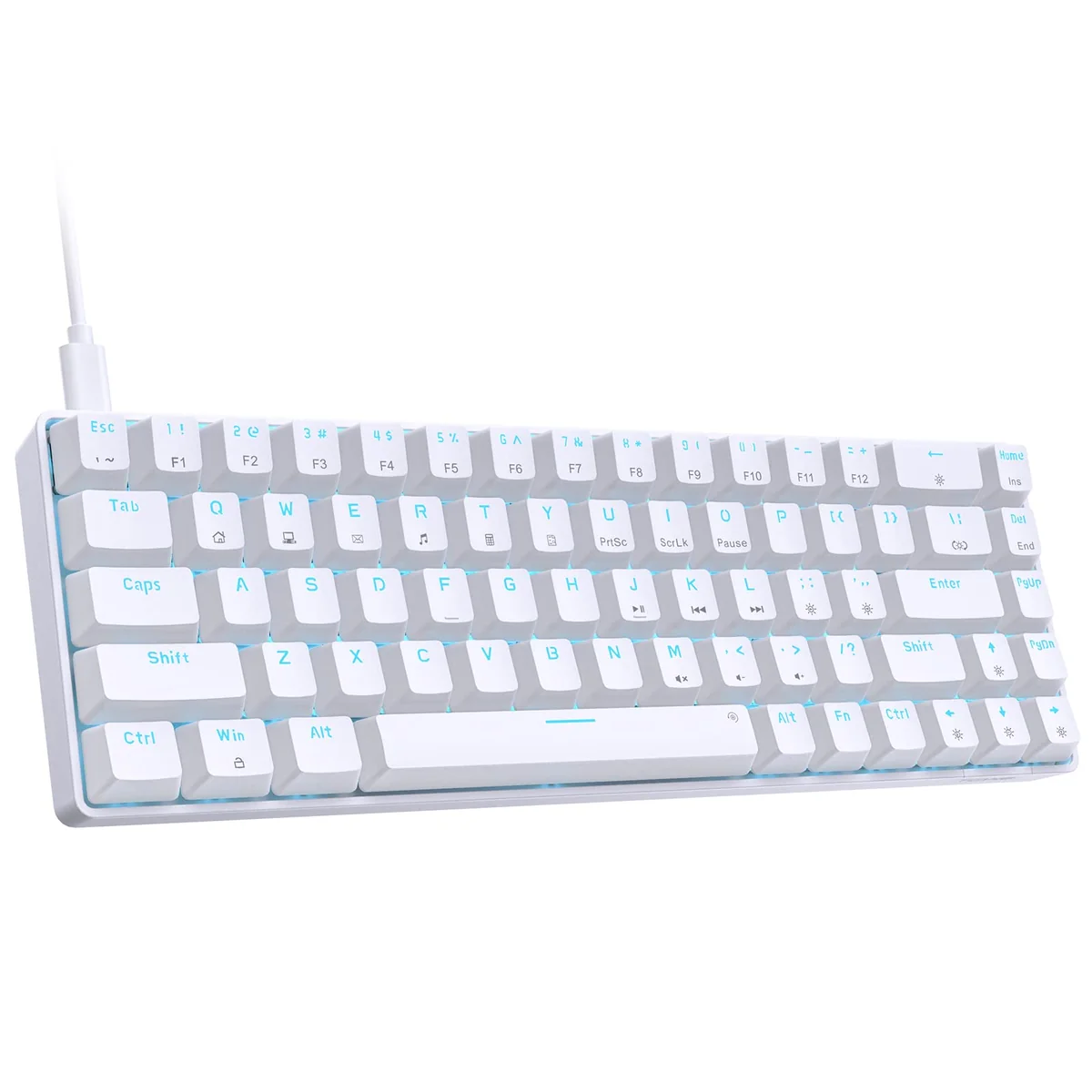
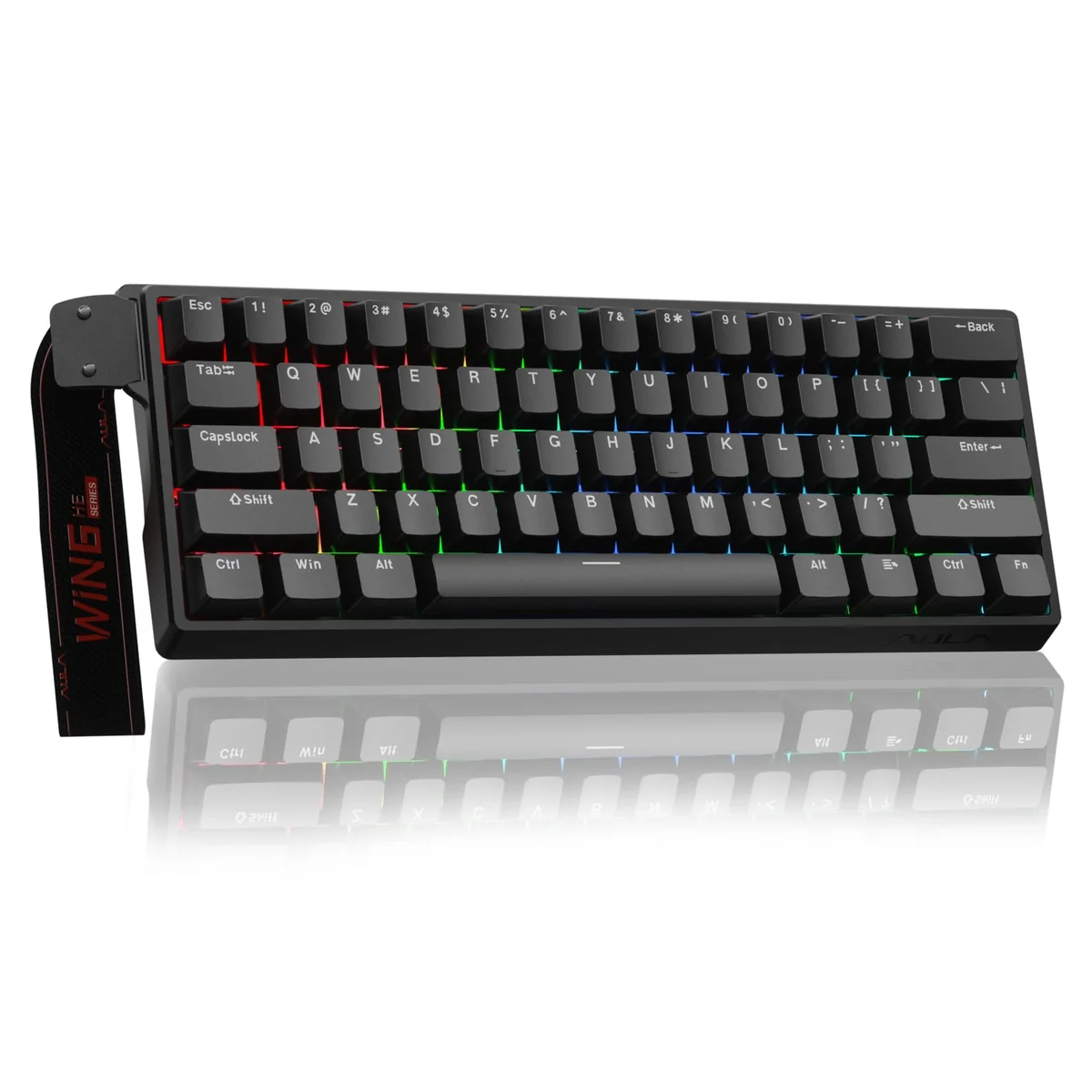
If you’re into gaming keyboards and want something that delivers serious performance without breaking the bank, the Aula WIN60 HE might just be your new favorite companion. This 60% mechanical keyboard brings a few tricks to the table — especially if you’re diving into fast-paced first-person shooters like Valorant or CS2. What sets it apart is its use of hall effect magnetic switches, which are a bit of a game-changer when it comes to responsiveness and durability. You’re getting a compact design with all the power you'd expect from a higher-end model, but at a budget-friendly price.
Let’s be honest — you don’t always need a full-sized keyboard to get the job done. In fact, many pros swear by smaller layouts for their focus and speed. The WIN60 HE is built for people who want that clean, minimalist look while still having the tools to dominate your games. It's got a sleek profile, smart customization options, and a feature set that makes it feel more premium than most budget offerings out there. Whether you’re playing at home or on the go, this keyboard aims to keep things smooth, fast, and reliable.
Who Should Buy This?
Perfect For:
- Competitive FPS players who value quick reflexes and consistent actuation
- Streamers or content creators who want a compact keyboard that looks great under lighting
- Travelers or those with limited desk space who still want high-performance input devices
Skip If:
- You're a heavy typist looking for a full-size keyboard with dedicated function keys
- You prefer tactile or clicky switch types and aren’t interested in magnetic actuation
The WIN60 HE doesn’t try to be everything to everyone, and honestly, that’s part of what makes it work so well. It’s made for people who know what they want: speed, simplicity, and a little bit of flair. If you're someone who thrives in tight spaces or wants a keyboard that doesn’t compromise on performance, this one could easily become your go-to.
What Makes It Stand Out
Okay, let’s talk tech. The heart of the WIN60 HE is its hall effect magnetic switches, which are a pretty big deal in the keyboard world right now. Unlike traditional mechanical switches, these don’t rely on physical contacts to register a press. Instead, they use magnetic force to detect keystrokes, meaning there’s no wear over time and the response is incredibly clean. You won’t hear any clicking sounds, and you’ll notice how much smoother and more consistent your inputs feel.
One of the standout specs is the polling rate up to 8000Hz, which is way beyond what most budget keyboards offer. That means faster reaction times and less lag during those crucial moments in your game — like when you're trying to peek around a corner in Valorant or stop-and-shoot in CS2. And since it's a 60% layout, it keeps everything nice and compact, saving you valuable desk real estate.
What really gets you excited though is how it handles rapid-fire actions. With a ultra-low RT step distance of only 0.02mm, you can trigger presses almost instantly — perfect for combo-heavy gameplay or when you're looking to pull off that perfect micro-movement. That kind of precision matters in competitive play, and it’s something you’ll feel every time you hit that trigger.
Customization is another strong suit here. The web-based driver is probably one of the nicest touches. No need to download extra software or worry about drivers conflicting with your OS. Just hop online, tweak your settings, and you're good to go. Remap keys, assign macros, change RGB lighting — all through a browser. That kind of convenience is rare in budget keyboards, and it really adds to the overall experience.
Day-to-Day Use
You know how sometimes you want something that just works without fuss? That’s exactly what the WIN60 HE delivers. From day one, it feels responsive and satisfying. The magnetic switches give you that crisp, clean feedback without being loud or clunky. You'll notice a difference in how quickly your keystrokes register — especially if you've used cheaper alternatives before. It's subtle but noticeable enough that it makes a difference in gameplay.
Gaming-wise, it’s particularly impressive in FPS titles. The low actuation distance means you can fire off shots faster, which helps with those split-second decisions. I found myself feeling more confident in tight situations because the keyboard responded exactly when I needed it to. No hesitation, no delay — just pure control.
The RGB lighting is fun too. The lower light position ensures even illumination across the PBT keycaps, giving you that polished look without any hotspots or dark spots. You can throw on a custom lighting scheme or stick with something simple — either way, it looks sharp. It’s also worth mentioning that it stays bright and vibrant even after hours of continuous use.
As for the 60% layout, you’ll adjust quickly. It takes a bit of getting used to if you’ve been using full-size keyboards, but once you do, you’ll wonder how you ever lived with the extra keys. It’s clean, minimal, and very functional — especially if you’re doing a lot of typing or multitasking alongside gaming. Plus, it's easy to carry around, so it works great whether you're gaming from home or setting up at a LAN party.
Highs and Lows
Thumbs Up:
- Magnetic switches deliver incredible precision and longevity — no more worrying about worn-out switches
- Ultra-fast polling rate (up to 8000Hz) gives you a real edge in competitive games
- Web-based driver makes customization super easy — no messy installs or compatibility issues
- Compact 60% design saves space while maintaining functionality — great for small desks or travel
- RGB lighting is customizable and visually appealing — adds that extra touch of personality
The Cons:
- No dedicated number pad or function row — might take some adjustment if you're used to full-size layouts
- Limited tactile feedback — if you like that satisfying click or bump from traditional switches, this may feel too quiet
Honestly, there aren’t many downsides here. Sure, the lack of a full layout might throw some people off at first, but if you’re a fan of compact keyboards, you’ll likely love how much cleaner and more organized it feels. And while the magnetic switches are quieter than clicky ones, they're definitely not dull — just different, and in a good way.
Bang for Your Buck
At its price tier, the WIN60 HE hits a sweet spot between affordability and capability. You’re not paying for brand names or flashy marketing — you’re paying for actual innovation. The hall effect switches alone are worth the investment, especially if you’re into gaming and want reliable performance. Add in the fast polling rate, easy customization, and that sleek design, and you’ve got a solid package for what you’re getting.
It’s not going to blow you away with fancy features or premium materials, but it does everything it promises and then some. If you’re someone who’s looking to upgrade from a basic membrane keyboard or trying to find a solid entry-level mechanical option, this one’s a great place to start. It’s not just about the price — it’s about getting real value for your money.
Final Verdict
So, should you grab one of these? If you’re a competitive gamer, especially in FPS titles, or someone who values a clean, compact setup that performs well, then yes — absolutely. The Aula WIN60 HE is a fantastic budget keyboard that punches above its weight. It’s not perfect — it lacks a full key layout and offers minimal tactile feedback — but for what it does, it nails it.
If you’re looking for something reliable, fast, and easy to customize without spending a fortune, this keyboard earns a spot in your collection. It’s not flashy or over-the-top, but it’s thoughtful, efficient, and designed with gamers in mind. You won’t regret picking it up — especially if you’re ready to level up your input game. Give it a shot, and you might just fall in love with the smoothness of its magnetic switches and the joy of a keyboard that just gets it.