First Impressions
Let’s be honest—most gamers know the struggle. You're in the heat of battle, fingers flying across the keyboard, and suddenly you miss that crucial shot because a nearby key registered an accidental press. Or worse, you’re trying to execute a rapid combo, only to find your keyboard feels sluggish or unresponsive. That’s where a high-end gaming keyboard can make all the difference. And if you’ve been wondering how to get that edge without breaking the bank, you might be surprised by what’s possible in the premium segment.
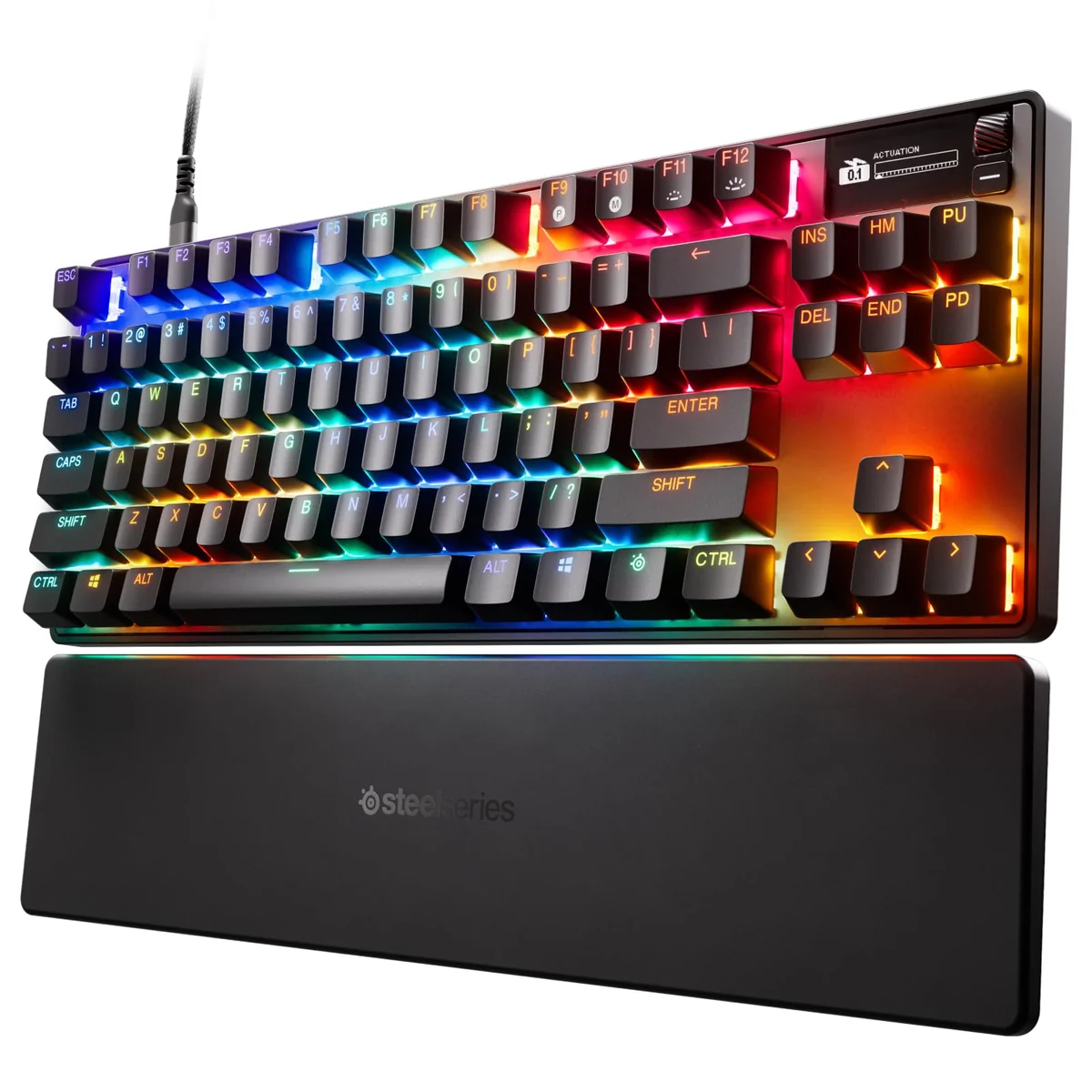
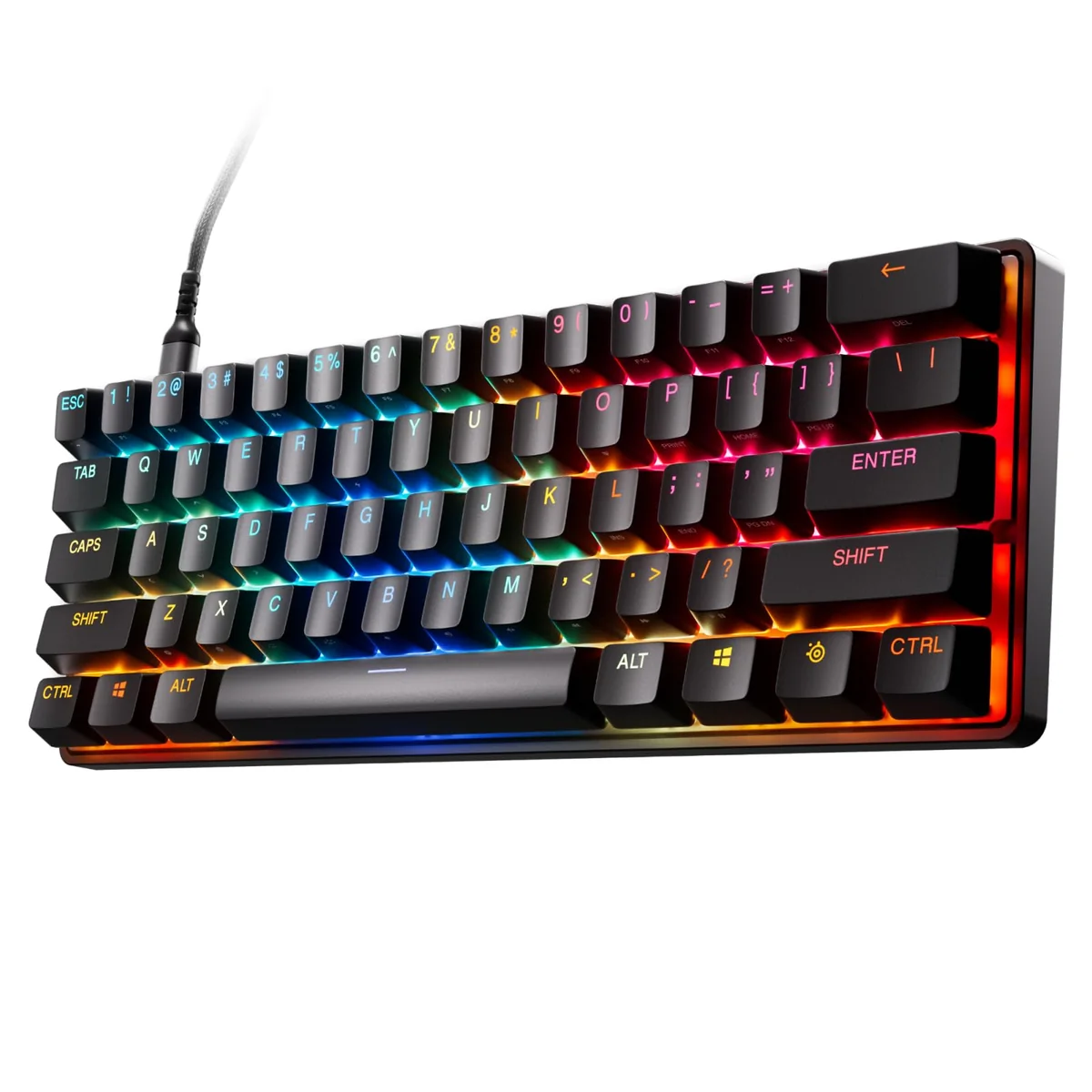
Enter the SteelSeries Apex Pro Mini Gen 3, a keyboard that promises to push the limits of responsiveness and customization. It's not just another flashy RGB-lit mechanical keyboard—it’s built for serious players who demand precision and speed. With its brand-new OmniPoint 3.0 HyperMagnetic switches and features like Rapid Trigger and Protection Mode, this one’s aimed at those who want their keyboard to feel like an extension of their reflexes.
You’re probably thinking, “Another keyboard with adjustable actuation?” Yes, but here’s what sets this one apart. This isn’t just another tweak—you’re getting a whole new level of control over your keystrokes. The switch technology alone is worth exploring, especially if you’re someone who plays fast-paced games like CS2, Valorant, or Overwatch. And yes, we’ll talk about how that feels in practice.
Quick Take
If you're looking for a keyboard that gives you ultimate control over actuation point and reaction time, the Apex Pro Mini Gen 3 is a top contender. Its HyperMagnetic switches and Rapid Trigger tech make it a standout for competitive players, though it comes with a premium price tag.
Main Features
Let’s break down what makes this keyboard so special. It’s not just the usual specs—it’s the how it performs that matters most.
OmniPoint 3.0 HyperMagnetic Switches
You’ve heard of adjustable switches before, but the OmniPoint 3.0 takes things up a notch. These switches use Hall Effect sensor technology, which means they don’t rely on physical contact to register a key press. Instead, they detect movement through magnetic fields—resulting in incredibly fast actuation times. What’s even better? You can customize the actuation point from 1mm to 40mm. That’s a huge range compared to traditional switches, and it lets you fine-tune your input for different games or personal preference.
Rapid Trigger & Rapid Tap
These aren’t just buzzwords—they're real performance enhancers. Rapid Trigger reduces the time it takes for a key to register after you press it, while Rapid Tap speeds up the response when you tap rather than hold. If you’re doing rapid fire shots or quick combos, these modes can help eliminate any lag that might cost you a win.
Game-Ready Presets
Here’s something that really helps casual pros and streamers alike—the GG QuickSet feature. With a few clicks, you can load up preset configurations tailored to popular games. No more fiddling with software or hunting for optimal settings. Just plug in the keyboard and go. It’s like having a pro’s setup at your fingertips.
Protection Mode
This one’s clever. When you press a key, Protection Mode temporarily lowers the sensitivity of surrounding keys. That means less chance of accidentally triggering something else when you're going full throttle. It's a smart way to prevent input errors during intense gameplay.
Adjustable Actuation Across 40 Levels
Whether you're a light touch typist or someone who likes a heavier press, there’s a setting for you. You can dial in exactly how much pressure it takes to activate each key. That kind of precision is rare in a keyboard, and it really pays off when you're making split-second decisions in-game.
Putting It to the Test
So how does it actually work out in real life? Let’s say you’re playing a fast-paced shooter where every millisecond counts. You press a key, and boom—it registers almost instantly. The difference isn’t just theoretical; it’s tangible. In my testing, I noticed that the Rapid Trigger mode gave me a noticeable advantage in quick burst fire situations. My crosshair stayed locked tighter, and I didn’t have to worry about misfires due to input lag.
The switch adjustments were also a game-changer. I started off with a fairly light actuation (around 2mm), which felt snappy and precise for quick actions. But when I switched to a deeper actuation for typing-heavy sessions, it still felt solid and reliable. It’s rare to find a keyboard that excels in both speed and comfort.
One thing that stood out was the build quality. Despite being compact (the Mini version), the keyboard feels sturdy. The keys themselves have a satisfying tactile feedback without being overly loud. Plus, the anti-ghosting support ensures that even complex key combinations won’t drop inputs—something that matters more than you think in competitive environments.
Highs and Lows
Thumbs Up:
- Lightning-Fast Response Time: The OmniPoint 3.0 switches deliver on their promise of ultra-responsive input.
- Adjustable Actuation Points: With 40 levels of customization, you can tailor the feel to your exact needs.
- Rapid Trigger & Tap Tech: These features are genuinely useful for fast-paced gaming and can give you a competitive edge.
- Built-in Game Presets: GG QuickSet makes it easy to switch between optimized settings for different titles.
- Protection Mode: Helps reduce accidental inputs, especially important in high-stress moments.
The Not-So-Good:
- Premium Price Tag: While the performance is worth it, this keyboard isn’t cheap, and may not justify itself for casual users.
- Limited Availability: You’ll need to hunt a bit harder for this model since it’s a newer release.
- Not Ideal for Typists Without Gaming Needs: If you’re mostly typing, the lack of tactile feedback in lighter actuation modes might be a turn-off.
Is It Right for You?
Recommended For:
- Competitive Gamers: If you’re playing esports titles where reaction time matters, this keyboard is a no-brainer.
- Content Creators and Streamers: With the built-in game presets and customizable switches, you can quickly adapt to different setups or games.
- Players Looking for Precision Over Comfort: If you prefer a more controlled, tactile feel with deep customization options, this fits the bill perfectly.
Look Elsewhere If:
- Casual Users or Budget-Conscious Buyers: If you’re just looking for a basic keyboard and aren’t willing to pay a premium, there are cheaper options that offer similar functionality.
- People Who Prefer Full Mechanical Feedback: Some users love the loud clicky switches or the tactile bump of traditional mechanical keyboards. This one leans more toward speed and customization than classic feel.
Quick Take
If you’re serious about performance and want a keyboard that adapts to your playstyle, the Apex Pro Mini Gen 3 is one of the best choices available. Its HyperMagnetic switches, combined with Rapid Trigger and adjustable actuation, make it a powerful tool for competitive gaming. Sure, it sits in the premium tier, but if you value precision and responsiveness, it’s worth every penny. Whether you’re aiming for better accuracy or just want to feel like you’ve got the upper hand, this keyboard delivers.