Introduction
Let’s face it — if you’re serious about gaming, your keyboard is the most critical interface between you and your game. That means every millisecond counts, especially when you're trying to land that perfect shot or execute a flawless combo. But many keyboards on the market still feel sluggish or unresponsive, even with their “gaming” labels. The last thing you want is a keyboard that lets you down during crucial moments, whether it’s an accidental double-tap or a delayed input that costs you the match.
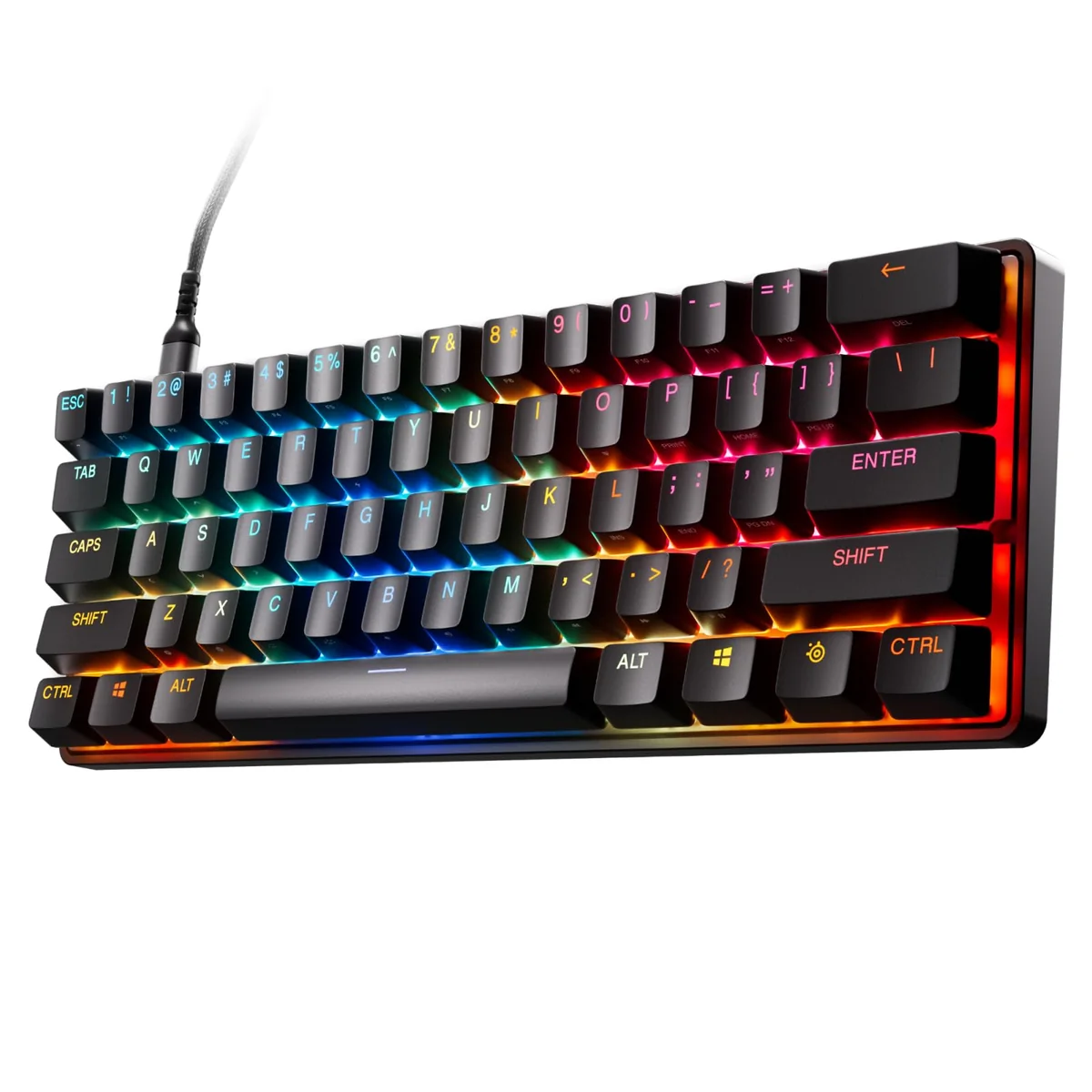
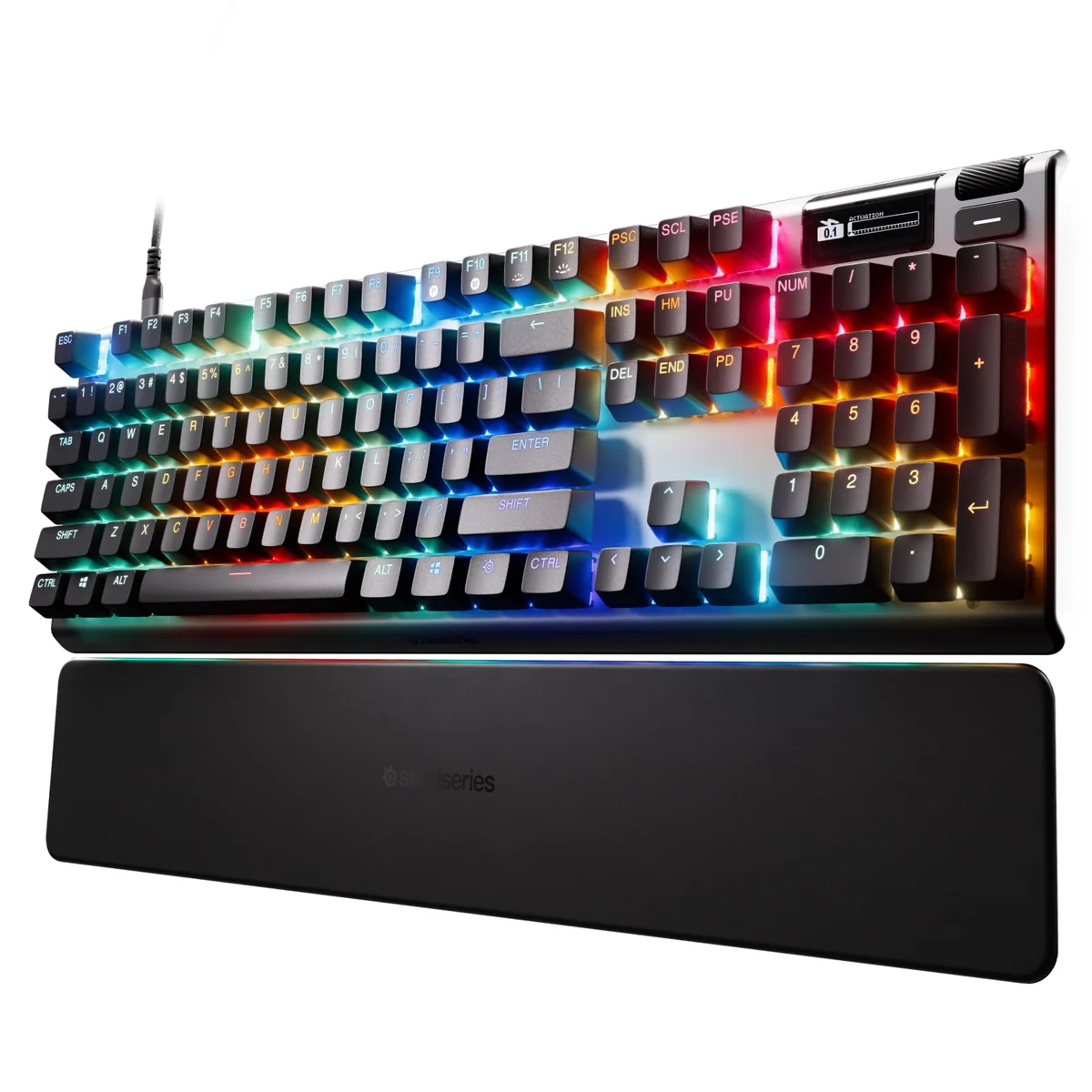
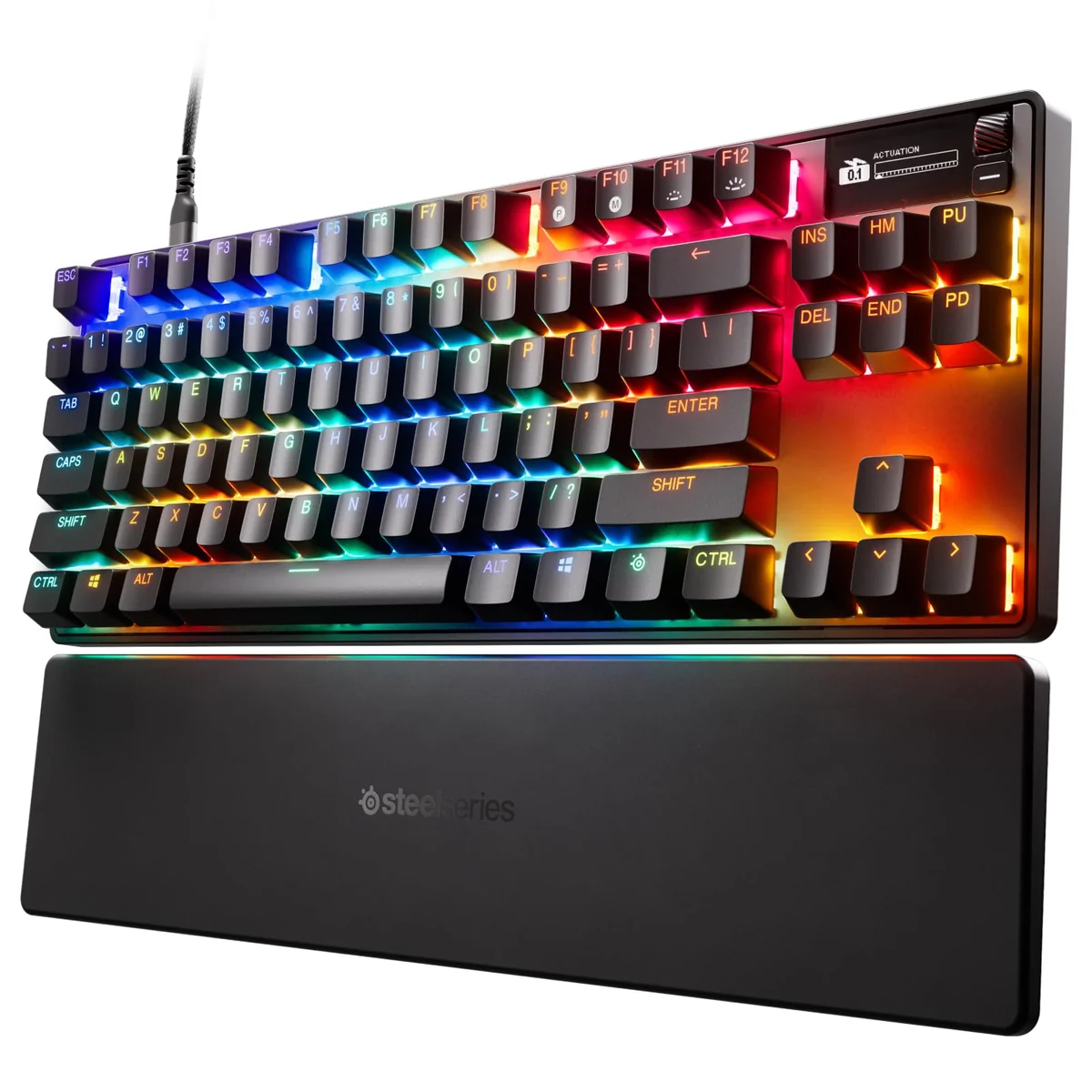
The SteelSeries Apex Pro TKL Gen 3 aims to fix that. With its flagship OmniPoint 3.0 HyperMagnetic switches and a suite of performance-focused features, it promises to deliver the responsiveness and customization that competitive players demand. It’s designed for those who refuse to compromise on precision, speed, and control. Whether you're playing first-person shooters, MOBAs, or real-time strategy games, this keyboard could be the upgrade you’ve been waiting for.
This isn’t just another gaming keyboard with flashy RGB lighting and a few preset profiles. It’s built for players who know what they need and aren’t afraid to tweak things to get it. The Apex Pro TKL Gen 3 combines a sleek, compact design with high-end tech that puts you in full control. It’s a premium product that doesn’t just look good — it performs under pressure.
Quick Take
If you’re looking for a keyboard that offers true adjustability and ultra-responsive performance, the SteelSeries Apex Pro TKL Gen 3 delivers on its promises. Its OmniPoint 3.0 switches let you fine-tune actuation point for any game, while features like Rapid Trigger and Protection Mode make it a top contender for competitive players. While it’s not cheap, it’s worth considering if you’re serious about maximizing your gaming performance.
Highlights
The Apex Pro TKL Gen 3 stands out for several reasons, but its core strength lies in its innovative switch technology. Unlike traditional mechanical switches, the OmniPoint 3.0 uses hall effect sensors to detect key presses with incredible accuracy. This allows for 40 distinct actuation point settings — from 0.2mm to 4mm — so you can tailor each key to your playstyle. Whether you prefer light, fast actuation or deeper, more tactile feedback, you can dial it in exactly how you want it.
Another standout feature is the Rapid Trigger function, which dramatically reduces the time it takes for a key press to register. Combined with Rapid Tap, it ensures your inputs are processed instantly, making it easier to maintain consistent aim and timing. This is particularly helpful in fast-paced games where split-second reactions matter.
Protection Mode is a clever touch that helps prevent accidental presses. When you press a key, it temporarily reduces sensitivity on nearby keys, minimizing the chance of unintended inputs. It’s a smart addition for players who find themselves accidentally triggering abilities or commands due to hand movement or slight misalignment.
The keyboard also comes with a built-in OLED display that shows your current settings and game presets. You don’t need to open a software application or switch windows to check your configuration. Everything is right there on the keyboard itself, giving you a real-time view of your settings and making it easy to switch between game modes on the fly.
SteelSeries’ GG QuickSet integration allows you to load optimized profiles for popular titles with a single click. No more manually adjusting sensitivity or keybinds every time you jump into a new game. It’s a small detail that adds up to a much smoother workflow for serious gamers.
Performance Review
In practice, the Apex Pro TKL Gen 3 feels like a solid investment in your gaming setup. The switches respond with crisp, clean actuation, and the ability to adjust the actuation point really pays off when you're playing different games. I tested it in both fast-paced FPS and slower strategy titles, and it held up well in both cases.
The Rapid Trigger and Rapid Tap features make a noticeable difference when you’re aiming or doing precise actions. You’ll feel less delay in your inputs, especially during rapid-fire situations. The protection mode also works as advertised, giving you peace of mind when you're in a tense moment and don’t want to risk a misclick.
The OLED display is useful but not essential. It’s clear and readable, though you might not use it constantly. It’s great for quick checks of your current game profile or actuation settings, but it’s more of a convenience than a necessity. Still, for someone who values staying in the flow of gameplay, having that info at a glance is a plus.
The keyboard’s build quality is top-notch. The frame feels sturdy, and the materials used convey a sense of durability that matches the price tier. It’s also surprisingly quiet for a mechanical keyboard — not completely silent, but certainly quieter than most alternatives in this space. This is a bonus if you’re gaming late or in shared spaces.
One thing that impressed me was how easily the software integrated with my system. Loading presets and making adjustments didn’t require any complicated setup or drivers. It just worked, and that’s always a good sign for a premium keyboard.
Highs and Lows
Strengths
-
Ultra-Fast Actuation: With 40 levels of adjustability, you can customize each key to suit your needs — from ultra-light actuation for quick reflexes to deeper triggers for more deliberate inputs.
-
Rapid Trigger & Tap: These features significantly reduce input lag, especially in fast-paced games where timing is everything.
-
Protection Mode: Prevents accidental inputs without sacrificing speed or precision — a rare win in gaming keyboard design.
-
OLED Smart Display: Shows your settings and game profiles without needing to open software — a handy way to keep your focus on the game.
-
GG QuickSet Integration: Quickly switch between game-specific settings without manual tweaking — a big time-saver for competitive players.
What Could Be Better
-
Noisy Switches: While quieter than most mechanical keyboards, the OmniPoint switches still produce a bit of noise. If you're in a quiet environment or trying to avoid disturbing others, you might want to consider quieter alternatives.
-
Limited Availability: As a premium product, the Apex Pro TKL Gen 3 isn’t always easy to find. It may take some effort to get your hands on one, especially during peak demand periods.
-
Software Dependency: Though the keyboard works without software, some of its advanced features are best managed through the SteelSeries Engine. If you’re not a fan of desktop applications, this could be a minor annoyance.
Who Should Buy This?
You'll Love It If:
- You're a competitive gamer who wants every possible edge in terms of responsiveness and precision.
- You play multiple genres and need a keyboard that can adapt to different playstyles and game types.
- You value customization and don’t mind spending a bit more for a keyboard that truly gives you control over every aspect of its performance.
May Not Be For You If:
- You're on a tight budget and are looking for a basic, no-frills keyboard.
- You prefer tactile or clicky switches and aren’t interested in the more linear feel of the OmniPoint switches.
Quick Take
The SteelSeries Apex Pro TKL Gen 3 is a premium keyboard that lives up to its hype. With its ultra-adjustable switches, low-latency features, and smart display, it’s made for players who demand performance and control. While it may not be the cheapest option, it’s definitely worth the investment if you’re serious about improving your game. If you want a keyboard that adapts to your playstyle rather than forcing you to adapt to it, this one’s a strong contender.